
SMS code doesn't arrive
Check the number format (+1), wait a minute and request it again, or switch to e-mail registration and add the phone later.
Signing up at 1xBet takes about two minutes. There are four ways to open an account — here is each one with real screenshots, plus what to do after registering so your bonus and withdrawals work without problems.
19+ (18+ in AB, MB & QC). Not available to Ontario residents. T&Cs apply. Please gamble responsibly.
Welcome offer
Sports bonus
120% up to C$540
or
Casino package
Up to C$3,000 + 150 free spins
Claim BonusMin. deposit C$25 (Interac)
| Method | What you enter | Confirmation | Best for |
|---|---|---|---|
| By phone | Phone number, password, currency | SMS code | Most players — phone is verified at once |
| By e-mail | E-mail, password, currency | Code sent by e-mail | Players who prefer not to share a phone number yet |
| Social networks & messengers | Telegram, Google, X, Apple ID or Discord | Via the chosen service | Fast sign-up without a new password |
| One-click | Country and currency | None at sign-up | Fastest start — details added later |
Whichever method you choose, you also select your welcome bonus and can enter a promo code on the same form.
Because your phone is confirmed during sign-up, this method gets you closest to qualifying for the bonus.
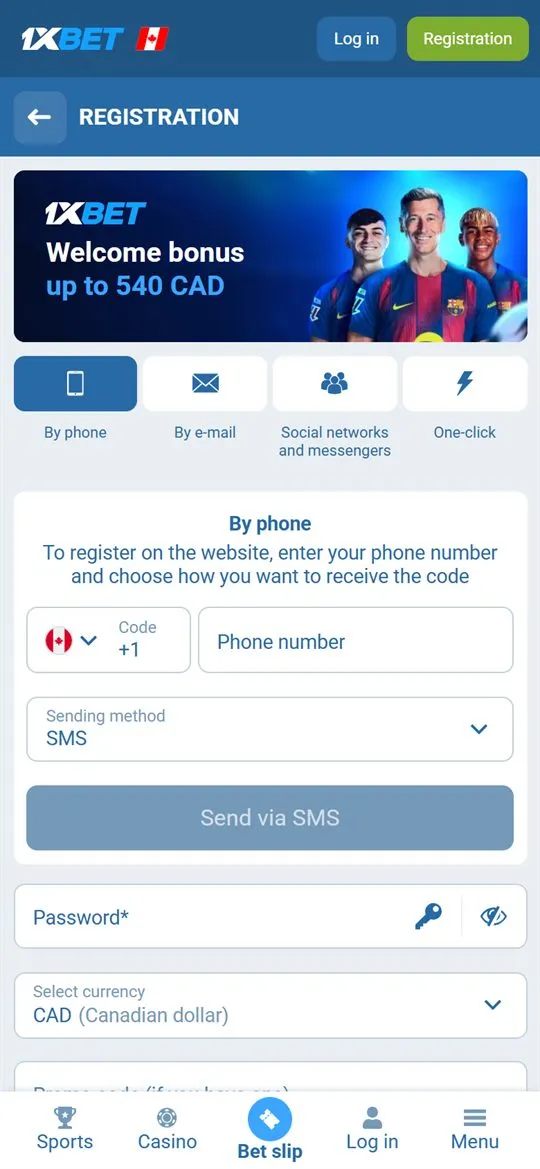
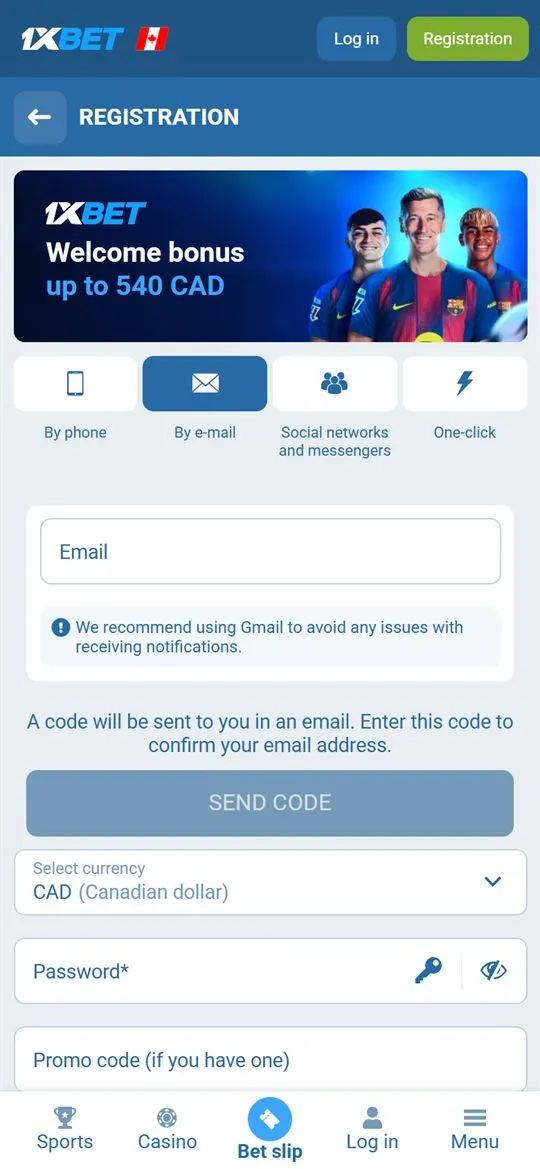
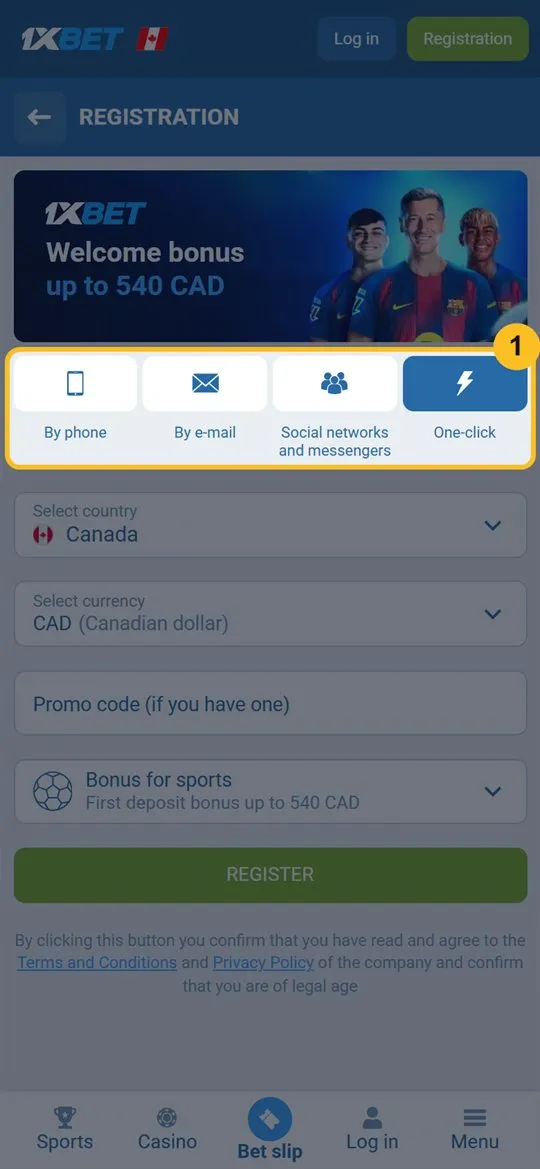
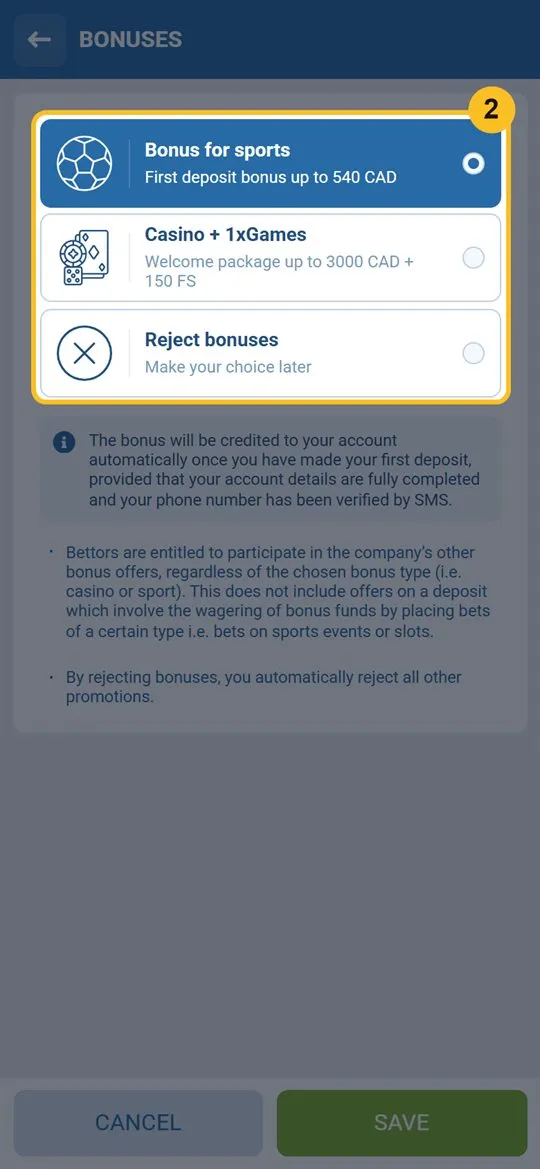
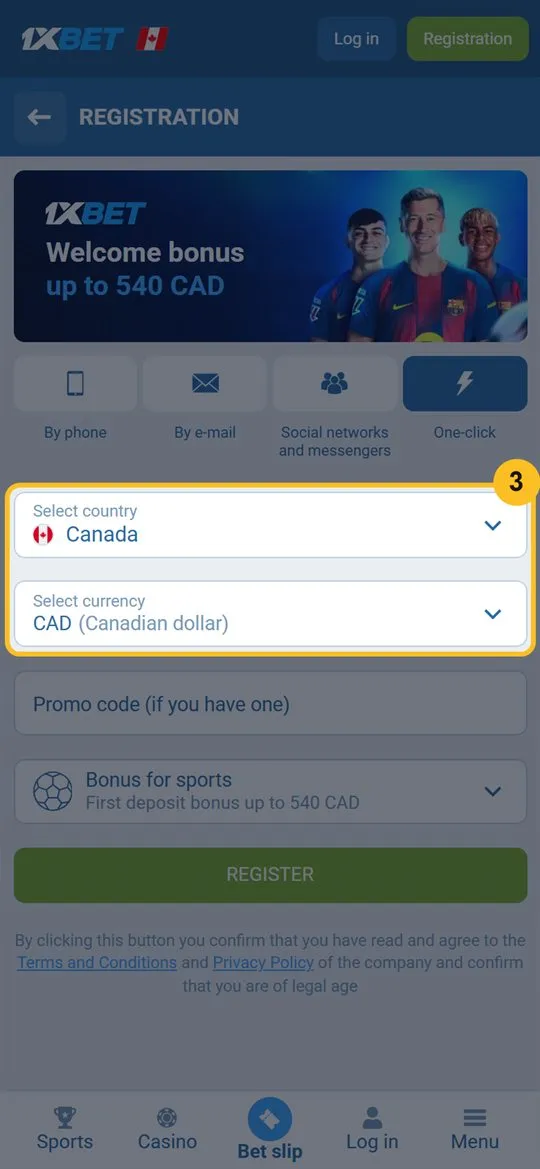
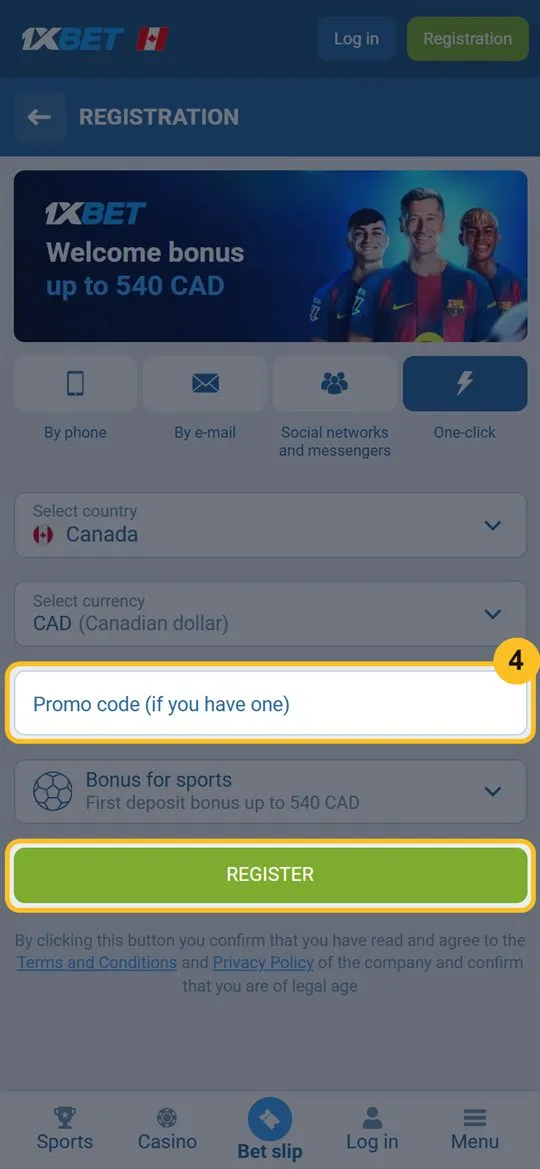
Screenshots of the 1xBet mobile site taken from Canada in November 2026.
Fill in every field in My Account — name, date of birth, address — exactly as on your ID. The welcome bonus is only credited to complete profiles with an activated phone number. You can read how the welcome bonus works before your first deposit.
Before your first withdrawal, 1xBet can ask for a government photo ID and proof of address (for example a utility bill or bank statement). Verifying early avoids delays later.
Use deposit limits and time-outs from the start — see our responsible gambling tips.
Check the number format (+1), wait a minute and request it again, or switch to e-mail registration and add the phone later.
The phone or e-mail is already registered. Use password recovery on the login page instead of creating a new account.
Check spam and promotions folders; 1xBet recommends using a Gmail address.
1xBet doesn't accept players located in Ontario. Don't use a VPN — it breaks the terms and can lead to account closure.
Open the registration form, choose a method (phone, e-mail, social network or one-click), keep Canada and CAD selected, pick your welcome bonus and tap Register. Then complete your profile and verify your phone number.
Phone registration is the most practical for Canadians: the number is verified straight away, which is required for the welcome bonus and helps you recover your account.
No. The account currency is fixed at registration, so make sure CAD is selected.
No. 1xBet's terms allow one account per customer, and each welcome bonus can be claimed only once. Duplicate accounts can be closed and bonuses cancelled.
No. 1xBet is not registered with iGaming Ontario and does not accept Ontario residents.
At least the legal gambling age in your province: 19+ in most provinces, 18+ in Alberta, Manitoba and Quebec.
Choose a sign-up method, select CAD and claim 120% up to C$540 on your first deposit.
19+ (18+ in AB, MB & QC). Not available to Ontario residents. T&Cs apply. Please gamble responsibly.
Registration via social networks
You can sign up with an existing account from Telegram, Google, X, Apple ID or Discord. Your login is then linked to that service, so you don't need a separate password.