
✅ Download only from 1xBet
Use the button on this page, which leads to the official download page.
The 1xBet app puts the full sportsbook, live betting and casino on your phone. In Canada, Android users install it as an APK file from the official site, and iPhone users add the 1xBet web app to the home screen. Below: installation, updating, troubleshooting and everything else you need.
19+ (18+ in AB, MB & QC). Not available to Ontario residents. T&Cs apply. Please gamble responsibly.
Welcome offer
Sports bonus
120% up to C$540
or
Casino package
Up to C$3,000 + 150 free spins
Claim BonusMin. deposit C$25 (Interac)
| Android | iPhone / iPad | |
|---|---|---|
| App type | Native app (APK file) | Web app (PWA) |
| Where to get it | Official 1xBet website | Safari → "Add to Home Screen" |
| On Google Play / App Store | No | No |
| Price | Free | Free |
| Updates | In-app prompt or new APK | Automatic |
| Account | Same as website | Same as website |
Your account, balance, bonuses and bet history are shared between the website and the apps — log in with the same details everywhere.
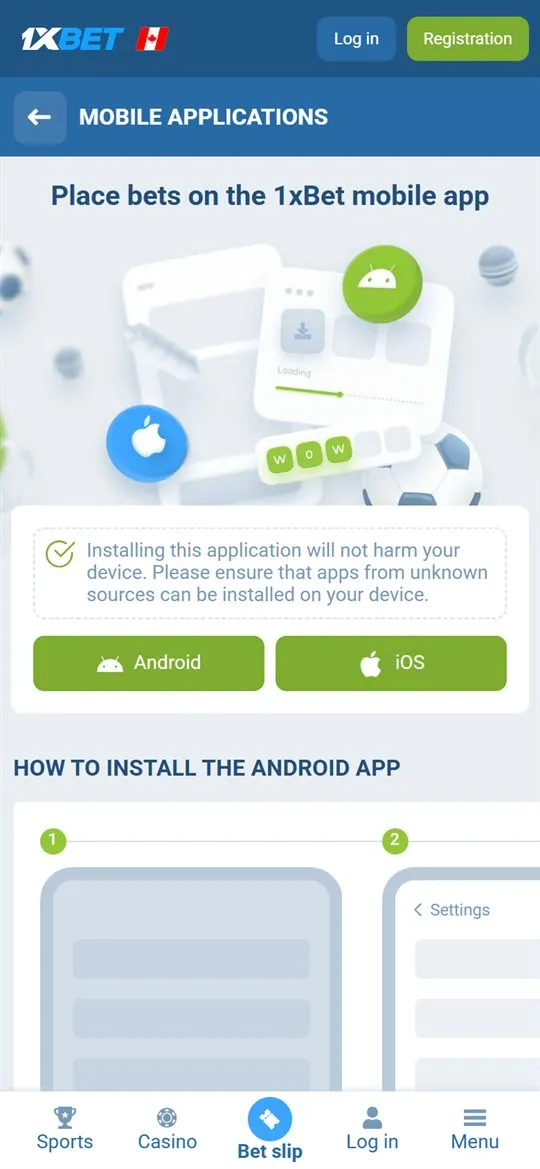
For Canadian players 1xBet offers a progressive web app (PWA) on iOS. It installs in seconds, doesn't need the App Store and opens full-screen with its own icon.
Keeping the app up to date gives you new features, bug fixes and security patches. Old versions may stop working or fail to log in.
The iOS web app always loads the current version of the 1xBet mobile site, so it updates automatically. If something looks outdated, close the app fully and reopen it, or remove the icon and add it again from Safari.
| Android app | iPhone web app | |
|---|---|---|
| Operating system | A current, supported Android version | A recent iOS version with Safari |
| Storage | Space for the APK and app cache | Almost none — it's a web app |
| Internet | Mobile data or Wi-Fi; Wi-Fi recommended for streams | Same |
| Permissions | Install from unknown sources (once), notifications | Notifications (optional) |
1xBet doesn't publish fixed minimum specifications on its Canadian download page. If the APK won't install on an older phone, use the mobile website — it has the same features and needs no installation.
Yes — as long as you download it from the official 1xBet website. Android shows a warning for every app installed outside Google Play; that warning doesn't mean the file is harmful.
Use the button on this page, which leads to the official download page.
Modified APKs can contain malware or steal your login details.
If Play Protect flags the app, check you downloaded it from the official site.
Use a screen lock or biometrics so nobody else can open your account.
Why isn't it on Google Play? Google only lists real-money gambling apps from operators licensed for the user's region. 1xBet isn't licensed by a Canadian provincial regulator, so it distributes the Android app directly.
Pre-match markets on NHL, NFL, NBA, MLB, soccer and 40+ sports.
In-play odds, match trackers and live streams — see our live betting guide.
Slots, live dealers and crash games like Aviator.
Interac e-Transfer and 45 cryptocurrencies, right in the app.
Alerts for bet results, goals and promotions.
Welcome bonus and promotions, including "App & Bonus".
| Android app | iPhone web app | Mobile website | |
|---|---|---|---|
| Installation | APK file | Add to Home Screen | None |
| Speed | Fastest | Fast | Fast |
| Push notifications | Yes | Limited | No |
| Stays logged in | Yes | Yes | Depends on browser |
| Live streams | Yes | Yes | Yes |
| Updates | Prompt / new APK | Automatic | Automatic |
Notifications are useful for bet results and live scores, but you can control them:
| Problem | Likely cause | Fix |
|---|---|---|
| "App not installed" | Old version conflict or corrupted download | Uninstall the old version (your account is safe), download the APK again and install. |
| "There was a problem parsing the package" | Incomplete download or incompatible Android version | Re-download on Wi-Fi; if it persists, use the mobile website. |
| Installation blocked | "Install unknown apps" not allowed | Allow it for your browser in Settings, then try again. |
| Play Protect warning | App installed outside Google Play | Make sure the file came from the official 1xBet site, then continue. |
| App crashes or freezes | Outdated version or full cache | Update the app; clear its cache in Settings → Apps → 1xBet → Storage. |
| Can't log in | Wrong method or password | See our login guide for recovery options. |
| iPhone web app shows an old page | Cached page | Close and reopen, or remove the icon and add it again from Safari. |
Uninstalling never deletes your 1xBet account or balance. To close your account or take a break, use the self-exclusion options in My Account or contact support.
Yes. Canadian players can install the 1xBet Android app as an APK file from the official website, and iPhone users can add the 1xBet web app (PWA) to the home screen from Safari. Both are free.
Google Play only lists real-money gambling apps from operators licensed for the user's region. 1xBet isn't licensed by a Canadian provincial regulator, so the Android app is distributed as an APK from the official 1xBet website.
For Canadian players 1xBet offers a PWA (progressive web app): open the site in Safari, tap Share and choose "Add to Home Screen". It opens full-screen like a normal app.
On Android, accept the in-app update prompt or download the latest APK from the official site and install it over the old version — your account and balance are kept. The iPhone web app updates itself automatically.
The APK is safe when downloaded from the official 1xBet website. Android shows a standard warning for any app installed outside Google Play. Never install 1xBet APK files from third-party sites.
Yes. You can register in the app and choose the 120% up to C$540 sports bonus or the casino package, exactly as on the website. 1xBet also runs an "App & Bonus" promotion for app users.
Normal betting uses little data. Live streams and live casino use much more — connect to Wi-Fi when watching.
On Android, long-press the icon and choose Uninstall. On iPhone, long-press the icon and choose Remove App / Delete Bookmark. Deleting the app doesn't close your account.
Download the Android APK or add the web app on iPhone — then claim your welcome bonus in the app.
19+ (18+ in AB, MB & QC). Not available to Ontario residents. T&Cs apply. Please gamble responsibly.